
Traveling with a laptop doesn’t have to mean sacrificing screen space. If you work on the go, a second display can dramatically change how much you get done and how comfortable you are while working. You’ll find that a portable screen gives you room for a full inbox, reference docs, and a video call all at once.
The VisionOwl Large Portable Monitor lineup pairs portability with real monitor performance so you can work faster, present more clearly, and enjoy smoother gaming or media playback when downtime arrives. This guide helps you pick between a large 23.8-inch 2K option and a compact 15.6-inch FHD option so you can match size, resolution, and price to how you travel and work.
Top Picks
Category | Product | Score |
|---|---|---|
🏆 Best Overall | 95/100 | |
💰 Best Value | 90/100 |
How We Picked These Monitors
We focused on factors that matter for travel productivity: screen size and resolution (so you get usable workspace without glare), weight and protective accessories (so it fits in your bag and survives transit), connectivity (USB-C, HDMI and power options for laptops, consoles and dongles), panel quality (IPS, color coverage for clear text and accurate content), refresh rate and brightness for fluid visuals, and real-world feedback (customer ratings and support experiences). Price-to-performance and the brand’s warranty/service responsiveness were also considered so you can rely on the monitor while away from your desk.
VisionOwl Large Portable Monitor (23.8-inch)
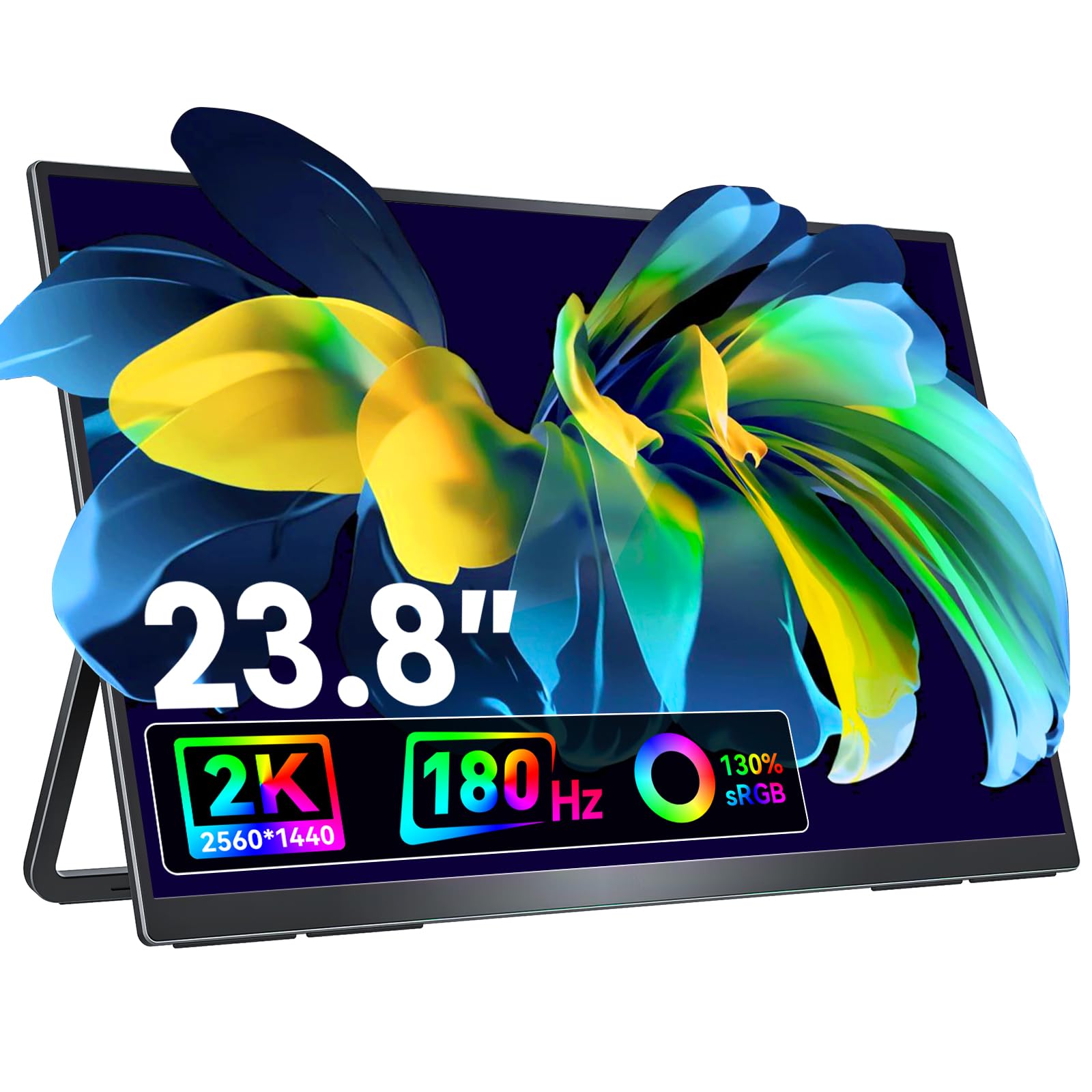
If you travel for work or like spreading out on a tiny laptop screen, the VisionOwl Large Portable Monitor is the sort of gadget that actually makes life easier. It’s a 23.8-inch QHD IPS panel that keeps text crisp and colors lively, yet it stays light enough to slip into a padded sleeve.
You’ll set it up via USB-C or HDMI in minutes, use the built-in kickstand or VESA mount depending on the situation, and appreciate how a bigger workspace changes the way you get things done — editing photos on the road, juggling spreadsheets in a coffee shop, or making a clearer presentation in a meeting room. It’s not just for work: the 180 Hz refresh rate and wide color support mean games and video look great too.
If you want more screen without hauling a full monitor, this is an easy recommendation.
Pros and Cons
Pros | Cons |
|---|---|
✅ Crisp QHD display and vibrant colors | ❌ Some users report limited direct iPhone/iPad support without extra software |
✅ Easy single-cable setup with USB-C | ❌ At 23.8″ it’s larger than ultra-compact options if you’re extremely space-constrained |
✅ Solid built-in stand and VESA mountable | |
✅ Comes with protective sleeve and quality cables | |
✅ Runs off laptop USB power in many cases |
What People Say
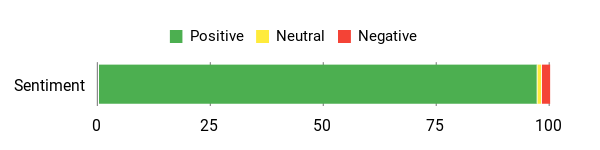
You’ll read a lot of praise for the screen clarity, easy plug-and-play setup, sturdy built-in stand and the travel sleeve. A few users note limited iPhone/iPad compatibility, but overall people say it reliably boosts productivity on the road.
Overall Sentiment: Positive
🗣️ Ed
Great size and very portable — I use it as an extended monitor at work. Brightness, crisp contrast and excellent text clarity. The integrated adjustable stand is steady and perfect for meetings, and VisionOwl’s customer service was extremely prompt and helpful.
🗣️ Robin K. Page
Excellent for photo editing on the road. Runs happily off a USB port on my MacBook, comes with a padded carry pouch and fold-out stand. Set up was fast and it matched my MacBook output well.
Situational Benefits
Situation | How It Helps |
|---|---|
On the plane or train | A slim profile and padded sleeve let you carry a big second screen without extra bulk so you can edit or review documents comfortably. |
Coffee shop or coworking space | Plug into your laptop with a single USB-C and get a usable dual-screen setup for spreadsheets, Slack and browser tabs without fuss. |
Client presentations | The larger display and stable kickstand mean you can mirror slides or demos to a small group without crowding around a laptop. |
Hotel or temporary workspace | VESA mount compatibility or the built-in stand gives you flexible placement so you can recreate a proper workstation in tight hotel desks. |
Ease Of Use
Feature | Ease Level |
|---|---|
Setup | Easy |
Connections (USB-C / HDMI) | Easy |
Built-in Stand | Easy |
On-screen settings | Moderate |
Carrying and packing | Easy |
Versatility
High — works as a second monitor for laptops, a portable gaming screen, a presentation display, or a VESA-mounted desktop panel.
Aesthetic Appeal
Sleek, modern look with a metal back panel that feels premium without standing out in a professional setup.
Practicality
Very practical for frequent travelers and remote workers who need a dependable second screen that’s quick to set up and durable enough for regular transport.
Travel Friendly
Designed with travel in mind: relatively lightweight, comes with a protective sleeve, and includes the cables you need so you’re ready on the go.
Key Benefits
- Large 23.8″ QHD screen for clearer multitasking and photo work
- Lightweight and travel-ready with a protective sleeve included
- Plug-and-play USB-C/HDMI makes setup fast and painless
- Built-in kickstand and VESA mount options for flexible placement
- High refresh rate and wide color gamut for smooth visuals
Rating: 4.8 (total: 1727+)
VisionOwl Large Portable Monitor (15.6-inch)

If you travel with a laptop and wish you had more screen real estate, the VisionOwl Large Portable Monitor (15.6-inch) is the kind of tool you’ll reach for. It gives you a clear Full HD display that sets up in minutes via USB-C or HDMI, tucks into a bag without adding bulk, and comes with a magnetic cover that doubles as a stand.
Use it to spread out spreadsheets in a coffee shop, mirror slides during a meeting, or run a second screen while you game on a portable dock. It’s simple to use, packs the essentials (cables, adapter, speakers), and feels like a practical upgrade to how you work on the road.
Pros and Cons
Pros | Cons |
|---|---|
✅ Clear FHD display and good color for the size | ❌ Some consoles (reported: Switch 2) may need a dock or specific adapters to work |
✅ Simple single-cable connections for many laptops | ❌ Included cords can be short for certain setups |
✅ Comes with protective magnetic cover/stand and all common cables | ❌ Slightly heavier with the magnetic cover attached compared with ultralight alternatives |
✅ Lightweight yet solid metal build and VESA holes | |
✅ Built-in speakers for quick media or meeting audio |
What People Say
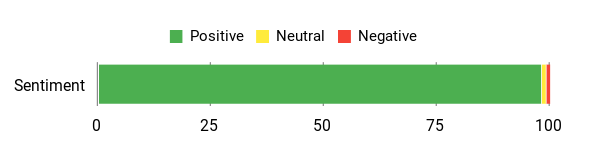
You’ll see consistent praise for crisp image quality, easy plug-and-play setup, and the handy magnetic cover/stand. People also like that it ships with all necessary cables and responsive customer support.
A few users mention quirks with certain consoles (like Switch 2 compatibility) or wish for longer cables, but most agree it reliably boosts productivity while traveling.
Overall Sentiment: Positive
🗣️ Ash S.
I did a lot of research and this VisionOwl was super easy to set up. Connected to my Nintendo Switch via a portable dock with zero lag, the picture is crisp, and the side wheel makes brightness and volume tweaks quick. The magnetic case/stand holds it steady and customer service was responsive when I registered the warranty.
🗣️ RL
I’ve used this almost every day as a laptop extension while traveling. The image is sharp with no video lag, it’s lightweight but feels sturdy, and it includes the cables and a protective cover that doubles as a stand — everything you need to stay productive on the go.
Situational Benefits
Situation | How It Helps |
|---|---|
On a plane or train | Slim profile and protective cover let you pull out a usable second screen without extra bulk, so you can edit documents or watch training videos comfortably. |
Coffee shop or coworking space | Plug into your laptop with USB-C and get a true dual-screen setup for emails, spreadsheets and browser tabs without hunting for extra cables. |
Client meetings or presentations | The bright, clear display and stable magnetic stand make it easy to mirror slides or demos to a small group without crowding around your laptop. |
Portable gaming sessions | Works with consoles via HDMI (or a dock for some newer units), giving you a compact gaming display that still delivers crisp visuals and built-in audio. |
Ease Of Use
Feature | Ease Level |
|---|---|
Setup | Easy |
Connections (USB-C / HDMI) | Easy |
Built-in magnetic cover/stand | Easy |
On-screen adjustments | Moderate |
Packing and carrying | Easy |
Versatility
High — acts as a second laptop screen, a portable gaming display, a presentation monitor, or a VESA-mounted panel when you’re back at a desk.
Aesthetic Appeal
Modern, minimal design with an aluminum back that looks professional in meetings and doesn’t scream ‘gadget’ in a work setup.
Practicality
Very practical for frequent travelers and remote workers — it includes the essentials, protects itself with a magnetic cover, and keeps your workflow from shrinking to a tiny laptop screen.
Travel Friendly
Built for the road: relatively light, slim, and includes a cover and cables so you’re ready to work as soon as you arrive.
Key Benefits
- Portable 15.6″ FHD screen that improves multitasking on the road
- Plug-and-play via USB-C or HDMI for fast setup
- Includes cables, power adapter and magnetic cover that doubles as a stand
- Built-in stereo speakers and matte screen for comfortable viewing
- Metallic, VESA-mountable body for a durable, professional feel
Rating: 4.8 (total: 3059+)
FAQ
Can You Use Two VisionOwl Large Portable Monitor Units With Your Laptop While Traveling?
Yes, you can, but how easy it is depends on your laptop and the cables or dock you bring. Most modern laptops will let you run one monitor over USB-C (DisplayPort Alt Mode) and another over HDMI, or two over a docking station that supports dual video outputs. If you have a Mac with an M1/M2 chip, note that some models natively support only one external display, so you may need a DisplayLink-enabled dock or adapter to run both. For best results, check your laptop’s video outputs and GPU capabilities before you pack, bring the full set of cables the monitors include, and consider a powered USB-C hub or docking station so you don’t run into power or bandwidth limits when driving two 2560 x 1440 displays at higher refresh rates.
How Portable Are Two VisionOwl Monitors For Air Travel And Quick Setups In Hotels Or Cafés?
Two VisionOwl Large Portable Monitor units are travel-friendly but they’re larger than 15.6-inch models, so plan your bag space: each 23.8-inch monitor is thin but one model weighs about 5.53 pounds, so two will add noticeable weight. The built-in kickstand, included protective sleeve, and thin profile make hotel desk and conference-room setups fast and stable. For quick, worry-free setups you should pack a compact power brick or PD power bank if your laptop won’t supply enough power, keep cables organized in a small pouch, and use the matte screen and adjustable stand to reduce glare and get a comfortable viewing angle in bright environments.
Will The VisionOwl Large Portable Monitor Work With Your Mac, iPad, PS5, Xbox, And Phones?
Mostly yes, but compatibility varies by device. Windows laptops and most gaming consoles (PS5, Xbox) work fine via HDMI or USB-C when the console outputs a compatible signal; the 2K QHD 180Hz capability is great for fast content but your source and cable must support that mode. MacBooks typically connect via USB-C/Thunderbolt and will extend or mirror displays; if you need two external monitors on a Mac with chipset limits, a DisplayLink dock is a reliable workaround. iPads and iPhones can mirror to external displays in many cases but some iOS devices or apps limit output or require adapters or software—some users report needing extra steps for full compatibility.
For phones, you need USB-C with video Alt Mode or a compatible adapter. A practical tip is to test each device at home with the monitor and the exact cables or adapters you plan to travel with, and keep any driver or firmware links handy in case you need DisplayLink or other software for multiple-display setups.
What Customers Prefer
When choosing between the 23.8-inch and 15.6-inch VisionOwl portable monitors, you typically weigh screen real estate against portability — you’ll pick the larger model if you need near-desktop productivity and the smaller one if you prioritize travel-friendly size and weight. You also consider factors like USB-C power/compatibility, resolution and color quality, ease of setup and built-in stand options, and overall price to match how mobile and powerful you need your setup to be.
Wrapping Up
Pick the 23.8-inch VisionOwl if you want a near-desktop workspace and higher resolution; choose the 15.6-inch if you prioritize lighter carry weight and a lower price. The VisionOwl Large Portable Monitor 23.8-inch model gives you QHD clarity, a high 180Hz refresh rate, built-in speakers, USB-C and HDMI, and VESA mounting — valuable when you need a larger, sharper second screen while traveling. The 15.6-inch VisionOwl balances portability and price with a crisp FHD panel, solid build, and easy plug-and-play setup. Either way, you gain more screen real estate, smoother multitasking, and a straightforward way to improve your productivity on the road.
| VisionOwl Large Portable Monitor 23.8-Inch 2K QHD 180Hz | VisionOwl Portable Monitor-15.6 Inch FHD 1080P | |
|---|---|---|
 |  | |
| Rating | 4.8/5 (1,727 reviews) | 4.8/5 (3,059 reviews) |
| Screen Size & Resolution | 23.8 inches, 2560 x 1440 Pixels (QHD) | 15.6 inches, 1920 x 1080 Pixels (FHD) |
| Connectivity Options |
|
|
| Weight & Dimensions | 5.53 pounds, 0.71 x 21.5 x 12.8 inches | 2.3 pounds, 8.66 x 13.98 x 0.2 inches |
| Check Availability | Check Availability |
This Article is reader-supported. When you click through links we may earn a referral commission on qualifying purchases.